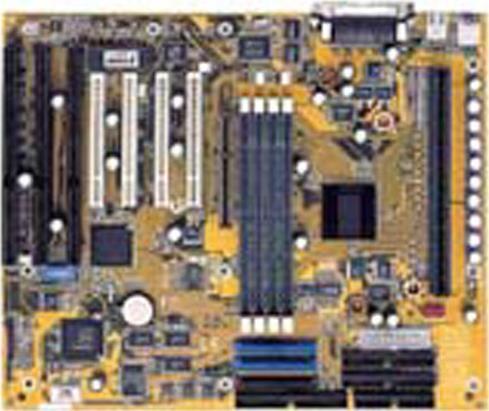

Specifications


* The terms HDMI, HDMI High-Definition Multimedia Interface, HDMI Trade dress and the HDMI Logos are trademarks or registered trademarks of HDMI Licensing Administrator, Inc.
* The entire materials provided herein are for reference only. GIGABYTE reserves the right to modify or revise the content at anytime without prior notice.
* Advertised performance is based on maximum theoretical interface values from respective Chipset vendors or organization who defined the interface specification. Actual performance may vary by system configuration.
* All trademarks and logos are the properties of their respective holders.
* Due to standard PC architecture, a certain amount of memory is reserved for system usage and therefore the actual memory size is less than the stated amount.

Support

Downloads
BIOS (+3)BIOS (+3)
Support
Manual FAQ ManualFAQ

BIOS

DescriptionVersionSizeDate

--

F1c (Beta)235.46 KBMar 1, 2000

  1. Micro Code 167305 for PIII
  2. Suspend using POS
  3. LGS 4MB*8 SDRAM
  4. Reset Configuration Data Solution
  5. Support Windows 2000 Build 2024
  6. Wake on Lan/Ring/PME# in APM/ACPI
  7. DualBIOS POST utility 0.1n
  8. Includes AWDFLASH.EXE

1.2228.26 KBJun 5, 1999

  1. Add an item "Processor Number Feature : " in "BIOS FEATURES SETUP" to Support "Processor Number of CPU" for Pentium® III series CPUs.
  2. Suspend using POSFix "System is down at POST 16h when USB Keyboard is plugged."
  3. DualBIOS POST utility 0.1e
  4. Includes AWDFLASH.EXE

1.1224.19 KBMar 9, 1999
VersionF1c (Beta)
Size235.46 KB
DateMar 1, 2000
Description
  1. Micro Code 167305 for PIII
  2. Suspend using POS
  3. LGS 4MB*8 SDRAM
  4. Reset Configuration Data Solution
  5. Support Windows 2000 Build 2024
  6. Wake on Lan/Ring/PME# in APM/ACPI
  7. DualBIOS POST utility 0.1n
  8. Includes AWDFLASH.EXE
Version1.2
Size228.26 KB
DateJun 5, 1999
Description
  1. Add an item "Processor Number Feature : " in "BIOS FEATURES SETUP" to Support "Processor Number of CPU" for Pentium® III series CPUs.
  2. Suspend using POSFix "System is down at POST 16h when USB Keyboard is plugged."
  3. DualBIOS POST utility 0.1e
  4. Includes AWDFLASH.EXE
Version1.1
Size224.19 KB
DateMar 9, 1999

Warning:
Because BIOS flashing is potentially risky, if you do not encounter problems using the current version of BIOS, it is recommended that you not flash the BIOS. To flash the BIOS, do it with caution. Inadequate BIOS flashing may result in system malfunction.


Update CPU ID/Micro codes in new BIOS means?
[1] To support new series of CPUs, or [2] To support the same CPU but with new stepping. CPU support of motherboard is consist of BIOS and hardware design, detail CPU support information please see CPU support list.