Soluciones
Buscar Soluciones y Preguntas Frecuentes
Apr 25, 2019
How to disable Secure Boot in BIOS?
Please follow the instructions below:
- Boot and press [F2] to enter BIOS.
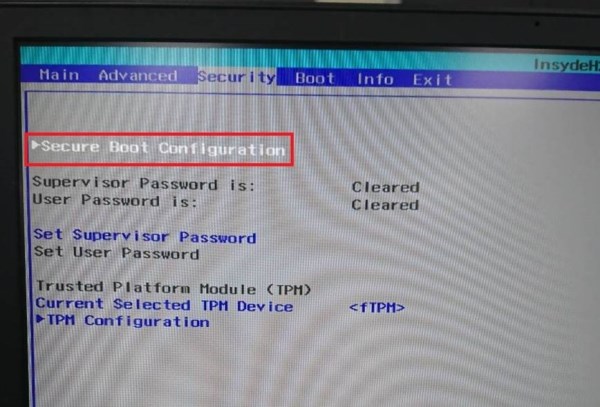
- Go to [Security] tab and enter [Secure Boot Configuration].
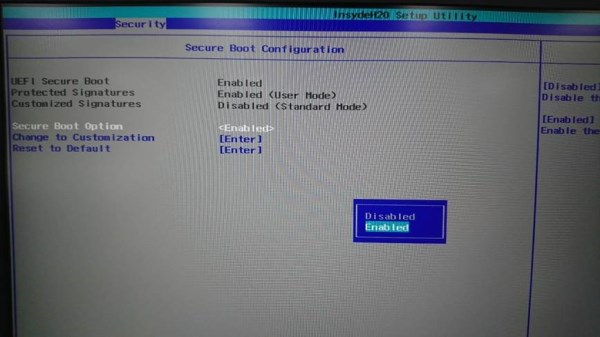
3. Choose [Disabled] with [Secure Boot Option].