Radeon™ RX 5600 XT WINDFORCE OC 6G
Rev. 2.0GV-R56XTWF2OC-6GD
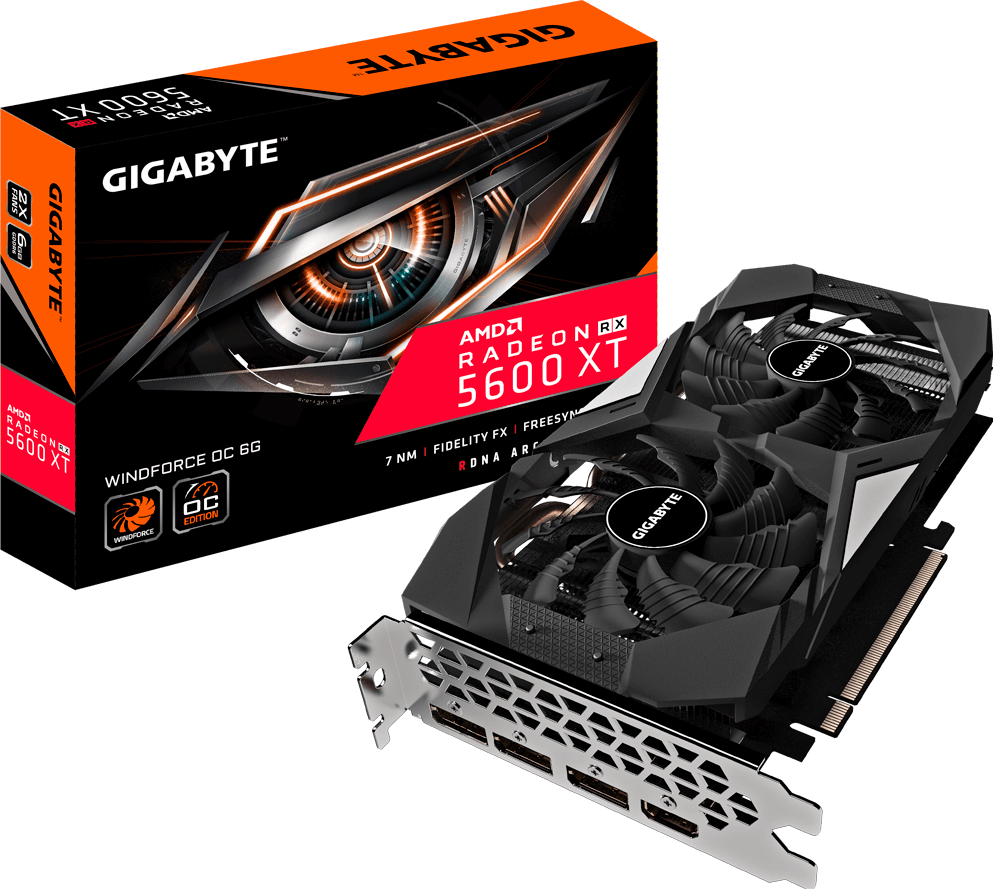



Specifications
- Graphics Processing
- Radeon™ RX 5600 XT
- Core Clock
- Boost Clock* : up to 1620 MHz (Reference card: 1560 MHz)
Game Clock* : up to 1460 MHz (Reference card: 1375 MHz)
- Stream Processors
- 2304
- Process Technology
- 7 nm
- Memory Clock
- 12000 MHz**
- Memory Size
- 6 GB
- Memory Type
- GDDR6
- Memory Bus
- 192 bit
- Memory Bandwidth (GB/sec)
- 288 GB/s
- Card Bus
- PCI-E 4.0 x 16
- Digital max resolution
- 7680x4320
- Multi-view
- 4
- Card size
- L=228 W=118 H=40.8 mm
- PCB Form
- ATX
- DirectX
- 12
- OpenGL
- 4.6
- Recommended PSU
- 450W
- Power Connectors
- 8 Pin*1
- Output
- DisplayPort 1.4 *3
HDMI 2.0b *1
- Accessories
- Quick Guide
- Note
- * “Boost Clock” is the maximum frequency achievable on the GPU running a bursty workload. Boost clock achievability, frequency, and sustainability will vary based on several factors, including but not limited to: thermal conditions and variation in applications and workloads.
* “Game Clock” is the expected GPU clock when running typical gaming applications, set to typical TGP (Total Graphics Power). Actual individual game clock results may vary.
**One-click flash for 14000 MHz memory clock step:
1. Go to the "Support" page in the upper right, then choose the BIOS category.
2. Download the "FA0" BIOS and decompress the zip file.
3. One-click the "GVFLASH.exe", and it will start to flash BIOS to 14000 MHz.
4. Restart your PC.
- Graphics Processing
- Radeon™ RX 5600 XT
- Core Clock
- Boost Clock* : up to 1620 MHz (Reference card: 1560 MHz)
Game Clock* : up to 1460 MHz (Reference card: 1375 MHz)
- Stream Processors
- 2304
- Process Technology
- 7 nm
- Memory Clock
- 12000 MHz**
- Memory Size
- 6 GB
- Memory Type
- GDDR6
- Memory Bus
- 192 bit
- Memory Bandwidth (GB/sec)
- 288 GB/s
- Card Bus
- PCI-E 4.0 x 16
- Digital max resolution
- 7680x4320
- Multi-view
- 4
- Card size
- L=228 W=118 H=40.8 mm
- PCB Form
- ATX
- DirectX
- 12
- OpenGL
- 4.6
- Recommended PSU
- 450W
- Power Connectors
- 8 Pin*1
- Output
- DisplayPort 1.4 *3
HDMI 2.0b *1
- Accessories
- Quick Guide
- Note
- * “Boost Clock” is the maximum frequency achievable on the GPU running a bursty workload. Boost clock achievability, frequency, and sustainability will vary based on several factors, including but not limited to: thermal conditions and variation in applications and workloads.
* “Game Clock” is the expected GPU clock when running typical gaming applications, set to typical TGP (Total Graphics Power). Actual individual game clock results may vary.
**One-click flash for 14000 MHz memory clock step:
1. Go to the "Support" page in the upper right, then choose the BIOS category.
2. Download the "FA0" BIOS and decompress the zip file.
3. One-click the "GVFLASH.exe", and it will start to flash BIOS to 14000 MHz.
4. Restart your PC.

* The terms HDMI, HDMI High-Definition Multimedia Interface, HDMI Trade dress and the HDMI Logos are trademarks or registered trademarks of HDMI Licensing Administrator, Inc.
* The entire materials provided herein are for reference only. GIGABYTE reserves the right to modify or revise the content at anytime without prior notice.
* Advertised performance is based on maximum theoretical interface values from respective Chipset vendors or organization who defined the interface specification. Actual performance may vary by system configuration.
* All trademarks and logos are the properties of their respective holders.
* Due to standard PC architecture, a certain amount of memory is reserved for system usage and therefore the actual memory size is less than the stated amount.
* Advertised performance is based on maximum theoretical interface values from respective Chipset vendors or organization who defined the interface specification. Actual performance may vary by system configuration.
* All trademarks and logos are the properties of their respective holders.
* Due to standard PC architecture, a certain amount of memory is reserved for system usage and therefore the actual memory size is less than the stated amount.