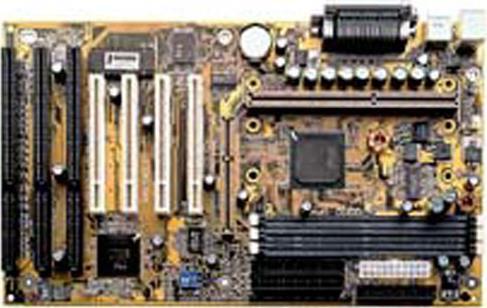

Teknik özellikler


* HDMI, HDMI High-Definition Multimedia Interface terimleri, HDMI Ticari takdim şekli ve HDMI Logoları HDMI Licensing Administrator, Inc.’nin ticari markaları veya tescilli ticari markalarıdır.
* Burada sağlanan tüm materyaller yalnızca referans içindir. GIGABYTE ürün teknik özelliklerinde ve ürün ile ilgili bilgilerde haber vermeden önce değişiklik yapma hakkını saklı tutar.
* Belirtilen performans, ara yüz özelliklerini belirleyen yonga seti üreticilerinden veya kurumlarından alınan maksimum teorik ara yüz değerlerine dayanır. Gerçek performans sistem üzerinde kullanılan bileşenlere göre değişkenlik gösterebilir.
* Tüm ticari markalar ve logolar, kendi sahiplerinin mülkiyetindedir.
* Standart PC mimarisi sınırlamaları nedeniyle, bellek miktarının bir kısmı sistem kullanımı için ayrılır ve gerçek bellek boyutu olması gerekenden daha az gösterilir.

Destek

İndir
BIOS (+3)BIOS (+3)
Destek
Kullanma Kılavuzu FAQ Kullanma KılavuzuFAQ

BIOS

DescriptionVersionSizeDate

  1. Support HDD capacity up to 32GB.
  2. Support CPU up to Celeron 533

2.1c (Beta)393.04 KBJul 4, 2001

  1. Support Mendocino CPU
  2. Add ACPI support
  3. Add "AC Back" function with "Memory"

1.07189.81 KBJul 28, 1998

  1. Fixed Wake on LAN Support
  2. Add AC Back Function
  3. Change CPU FAN Off in Suspend default from Disable/Disable to Enable/Enable in the BIOS
  4. Add Supervisor Password and User Password Option
  5. Beta Feedback are Welcome

1.06182.72 KBJun 20, 1998
Description
  1. Support HDD capacity up to 32GB.
  2. Support CPU up to Celeron 533
Version2.1c (Beta)
Size393.04 KB
DateJul 4, 2001
Description
  1. Support Mendocino CPU
  2. Add ACPI support
  3. Add "AC Back" function with "Memory"
Version1.07
Size189.81 KB
DateJul 28, 1998
Description
  1. Fixed Wake on LAN Support
  2. Add AC Back Function
  3. Change CPU FAN Off in Suspend default from Disable/Disable to Enable/Enable in the BIOS
  4. Add Supervisor Password and User Password Option
  5. Beta Feedback are Welcome
Version1.06
Size182.72 KB
DateJun 20, 1998

Warning:
Because BIOS flashing is potentially risky, if you do not encounter problems using the current version of BIOS, it is recommended that you not flash the BIOS. To flash the BIOS, do it with caution. Inadequate BIOS flashing may result in system malfunction.


Update CPU ID/Micro codes in new BIOS means?
[1] To support new series of CPUs, or [2] To support the same CPU but with new stepping. CPU support of motherboard is consist of BIOS and hardware design, detail CPU support information please see CPU support list.