1/4
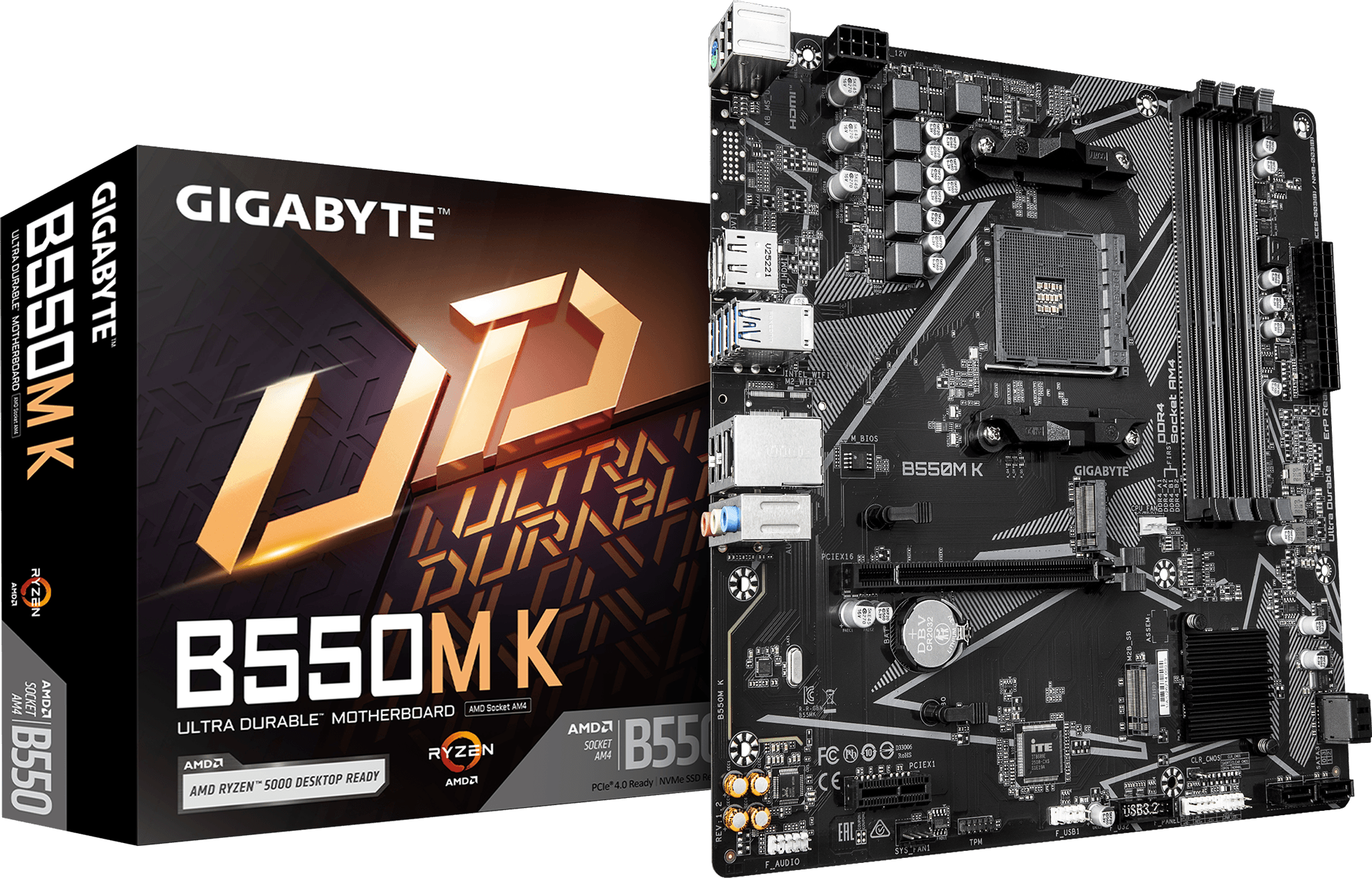
- AMD Ryzen 5000 / 5000 G / 4000 G / 3000 / 3000 G 各シリーズ対応
- Dual チャンネル ECC / Non-ECC Unbuffered DDR4, 4 スロット搭載
- Ultra Durable PCIe 4.0 x16 スロット
- 2連 M.2 スロット (NVMe PCIe 4.0 x4 + 3.0 x2)
- 高品質音響コンデンサ & ノイズガード搭載
- GbE 有線 LAN 搭載
- DisplayPort & HDMI ディスプレイ出力端子搭載
- Smart Fan 6 搭載
- 抗酸化耐久設計
主な特徴
SPEC OVERVIEW
PERFORMANCE
CONNECTIVITY
COOLING
AUDIO
ULTRA DURABLE

SPEC OVERVIEW
PERFORMANCE
CONNECTIVITY
COOLING
AUDIO
ULTRA DURABLE
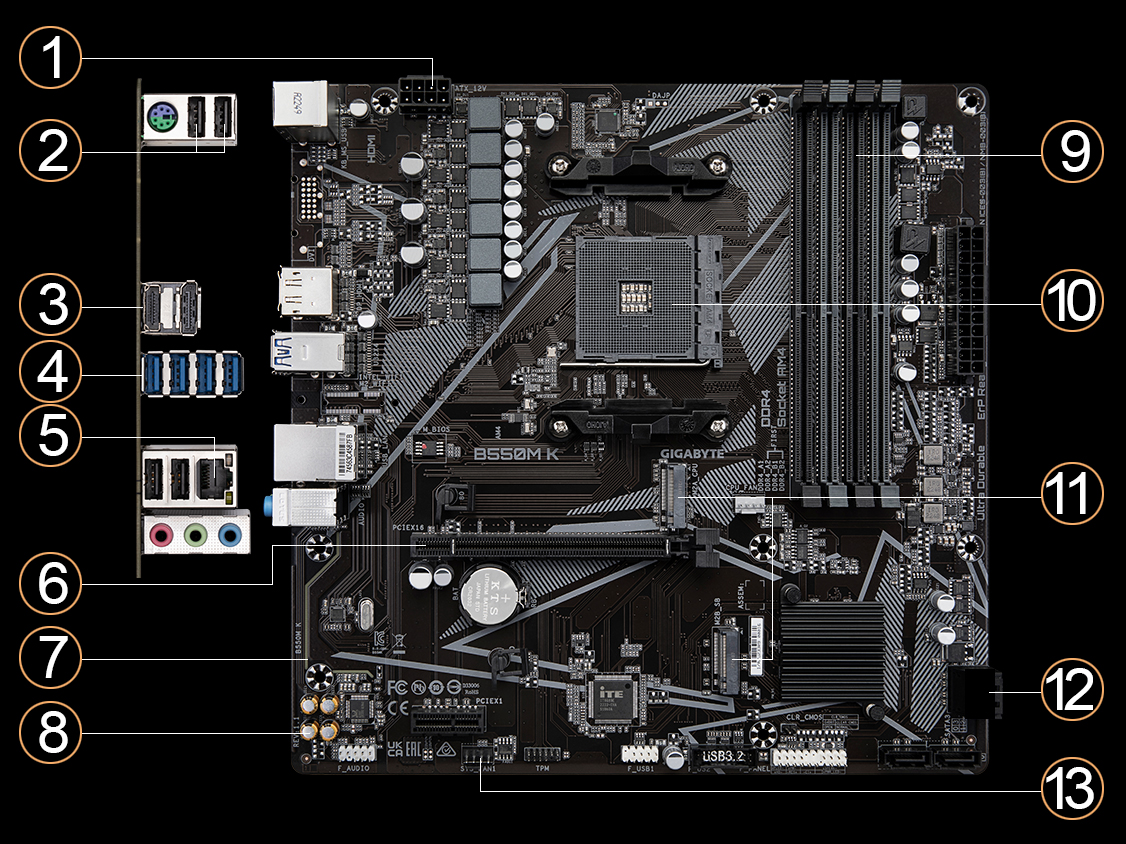

1
Solid Pin Power Connector
2
USB 2.0*4
3
DisplayPort + HDMI
4
USB 3.2 Gen 1 * 4
5
GbE LAN
6
Ultra Durable PCIe Slot
- PCIe 4.0 Slot
- Running 1 x16
7
Audio Noise Guard
8
High-End Audio Capacitors
9
Dual Channel DDR4, 4 DIMMs
10
Supports AMD Ryzen Processors
11
Dual M.2 Connectors
1. 2280 M.2
- NVMe PCIe 4.0/3.0 x4 & SATA Mode (from CPU)
- 1x PCIe 4.0 M.2 Slot
- NVMe PCIe 3.0 x2 (from Chipset)
12
SATA3*4
13
Smart Fan 6 + FAN STOP
- 2 Fan Connectors
- 5 Temperature Sensors
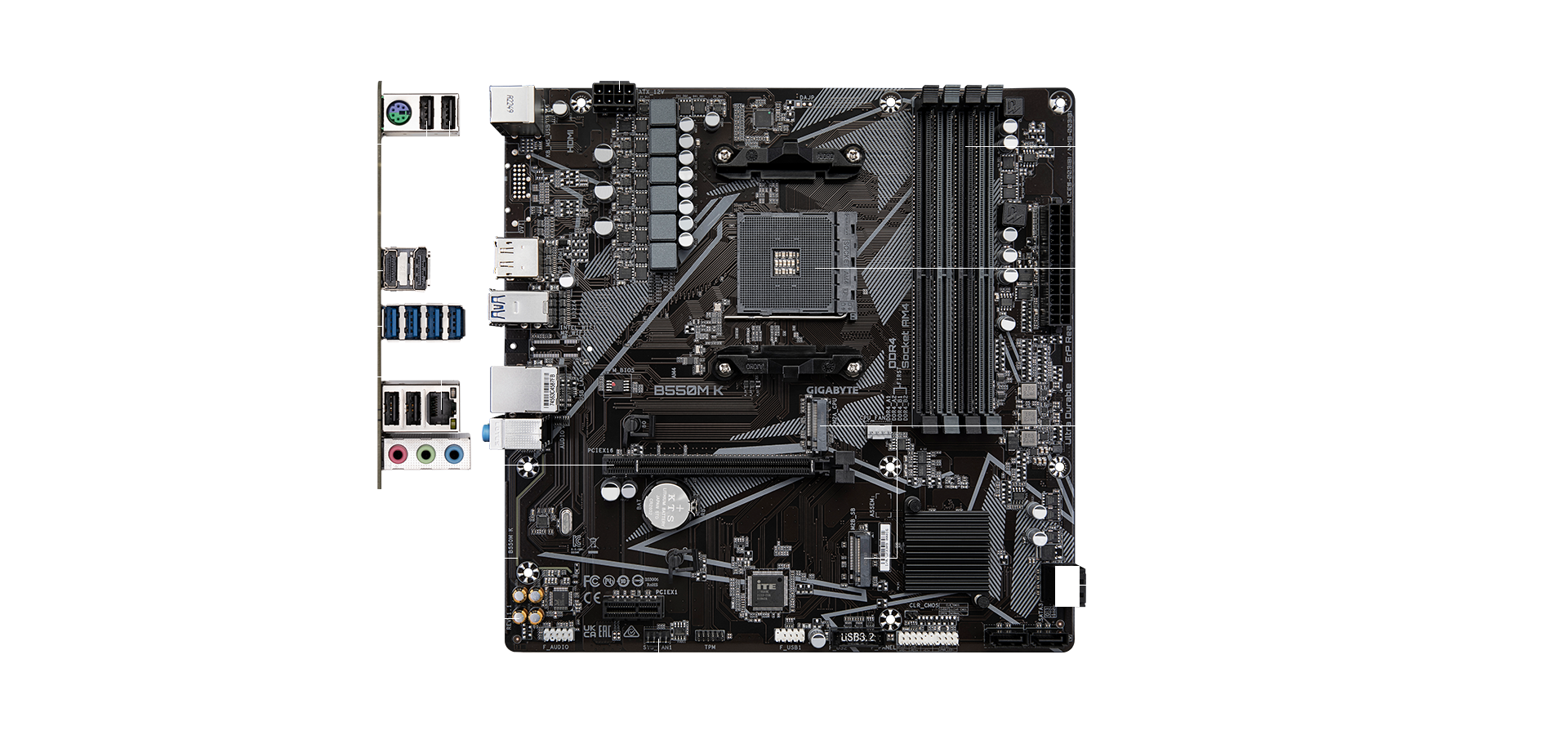

PCIe 4.0* ハードウェア設計
* イメージ画像です。
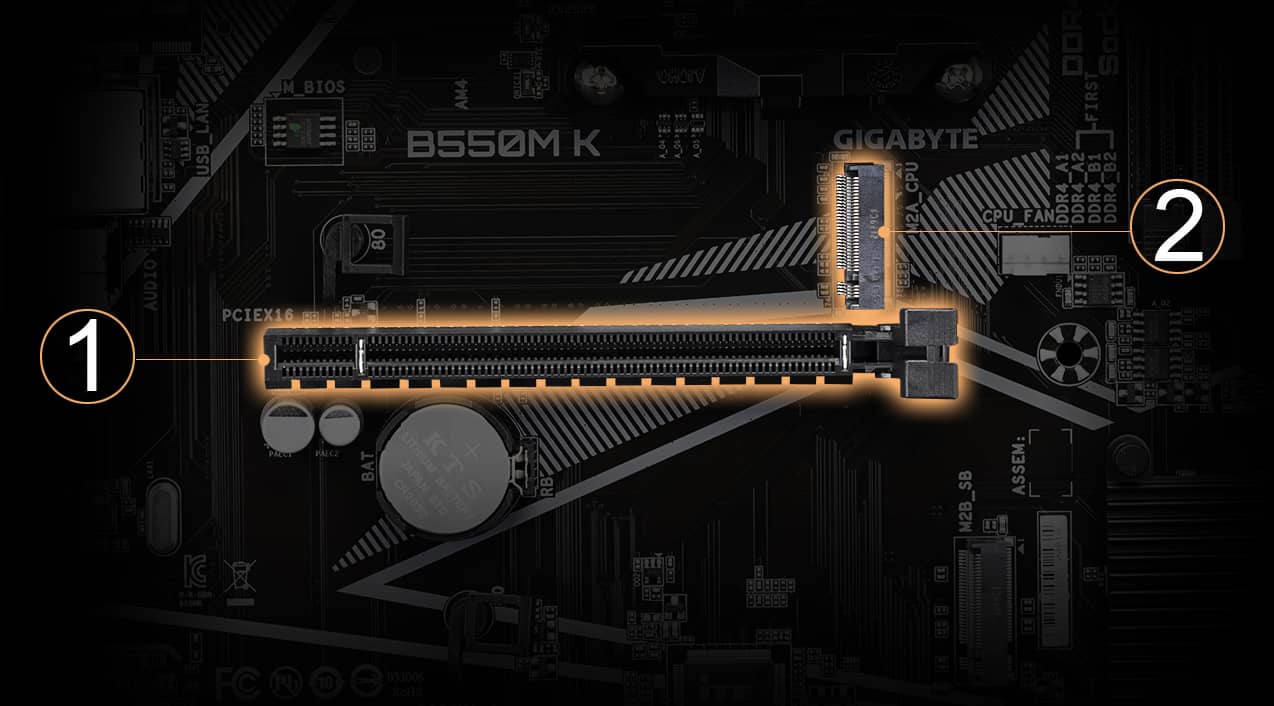
1. PCIe 4.0
スロット
スロット
低インピーダンスの PCIe 4.0 x16 スロット。
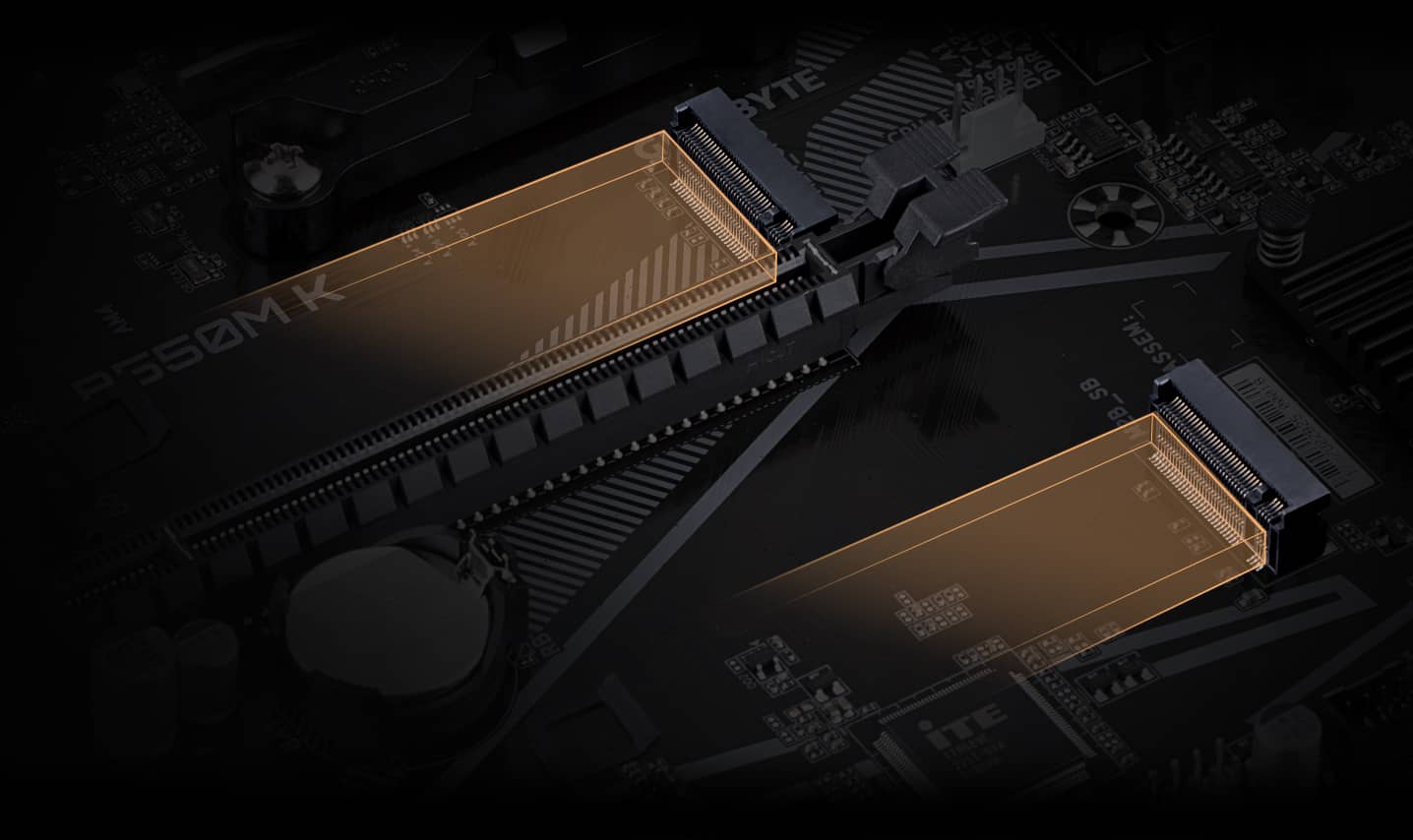
2. M.2 PCIe 4.0 スロット
低インピーダンス M.2 PCIe 4.0 x4 スロット。
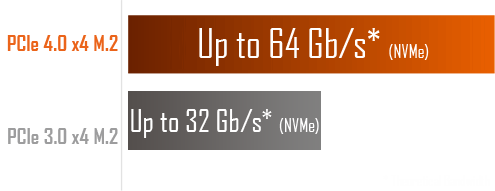
NVMe PCIe 4.0*/3.0 M.2 コネクタ
GIGABYTE マザーボードは、システムの可能性を最大限に活用したいユーザーに、
M.2 テクノロジーを提供することに重点を置いています。
* 実際の動作は CPU 型番によって異なります。

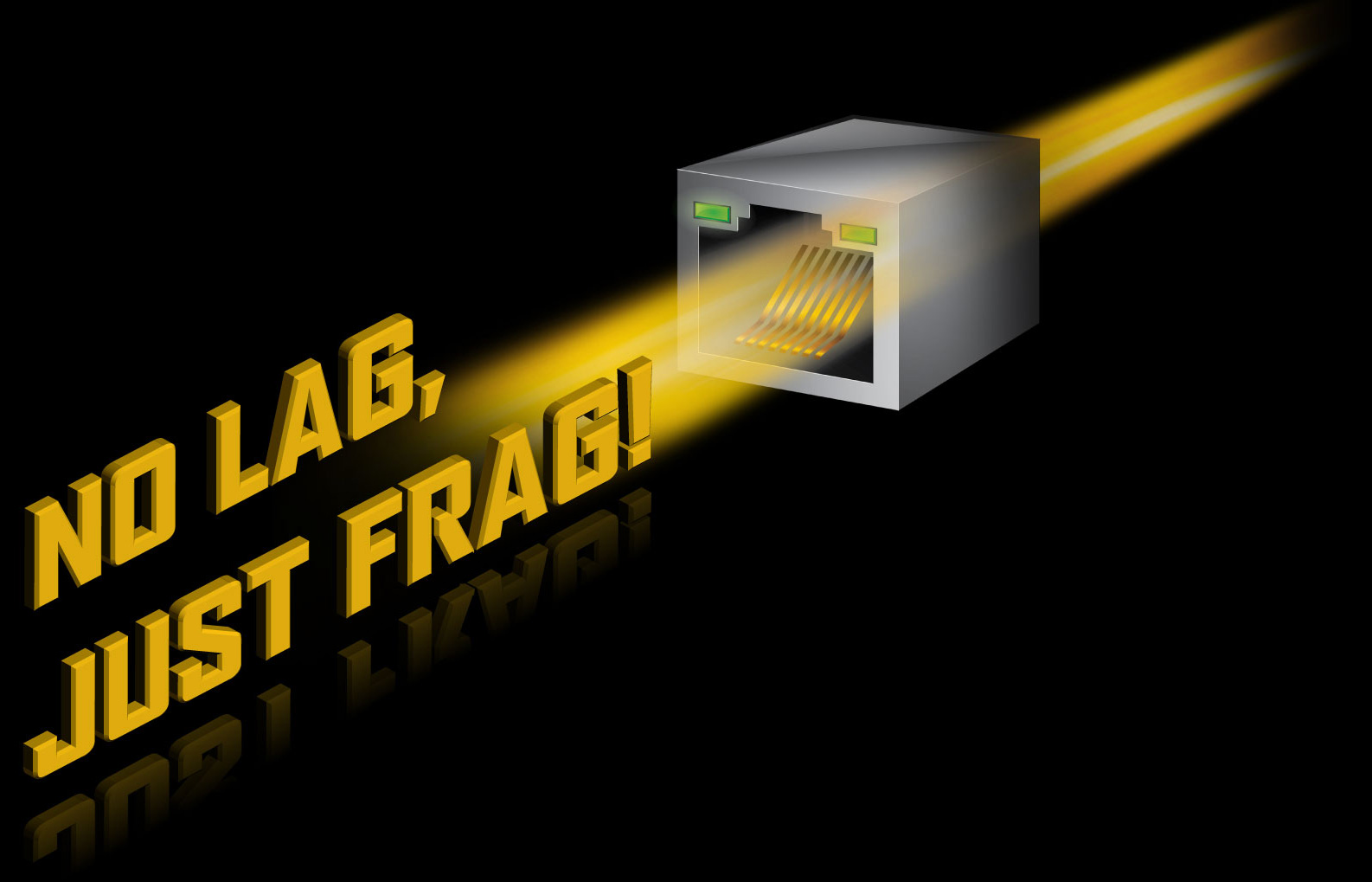
GbE 有線 LAN
ユーザーに最も包括的な機能と最速かつ、スムーズなインターネット体験を提供することができます。
HDMI 2.1 (4K / 60P / 21:9 / HDCP 2.3)
HDMI 2.1 は、HDMI 2.0 / 1.4 と互換性があり、前世代のほぼ2倍の 48 Gb/s の帯域幅を提供します。これにより、ユーザーが複数のビデオストリームを転送できる可能性と、ネイティブ・シネマティック 21:9 比率 (ほとんどの映画が撮影される) が解放され、視聴者に最高の視覚体験を提供します。
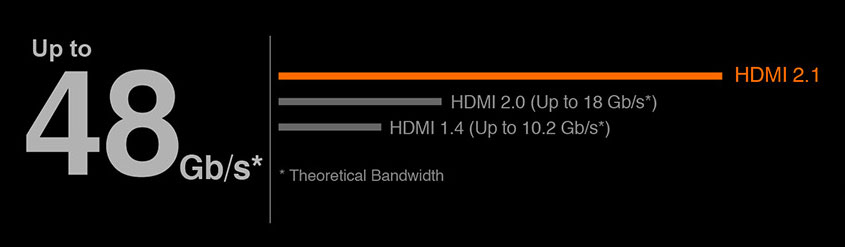
注: Radeon Graphics を搭載した新世代 AMD Ryzen プロセッサーのみが表示機能をサポートしています。
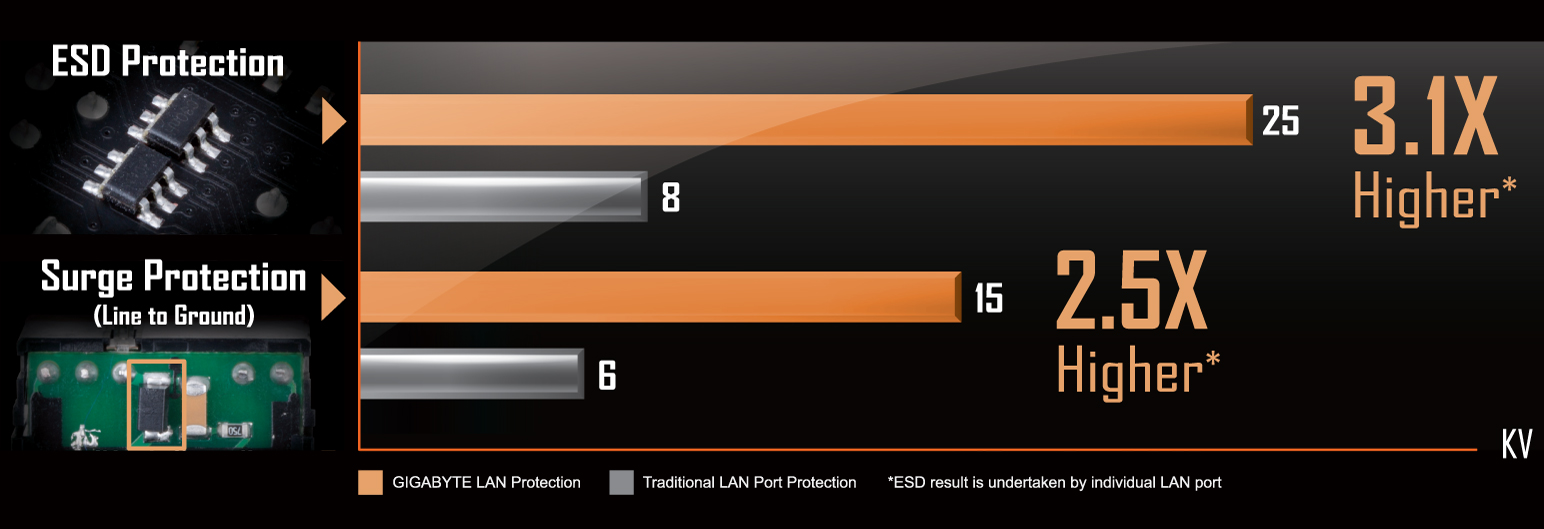
業界最先端のサージ保護
GIGABYTE マザーボードには、マザーボードを保護する特別なサージ防止 IC が搭載されており、不規則な電力スパイクに PC が対応できるようになっています。

Smart Fan 6
Smart Fan 6 を使用すると、ゲーミング PC がクールな状態を保ちながらパフォーマンスを維持できるようになります。
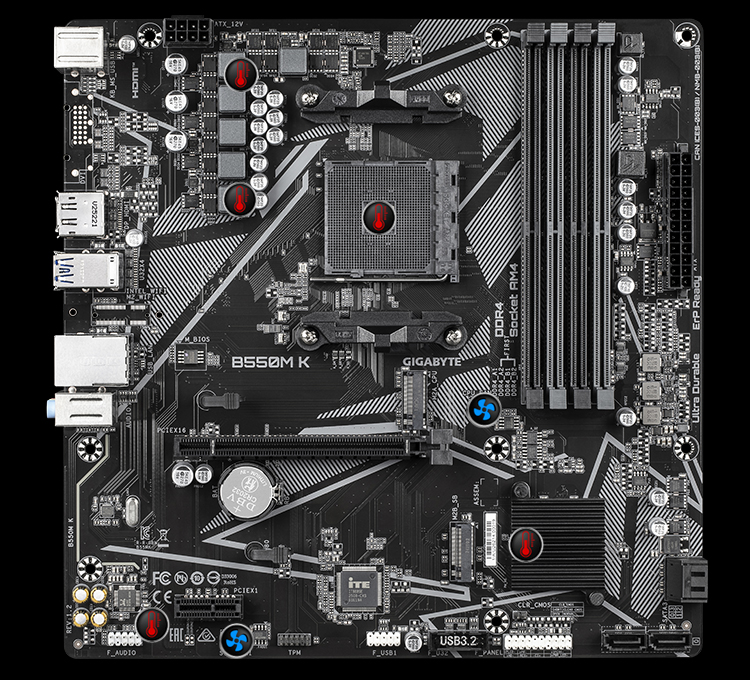
 Fan Connectors
 Internal Temperature Sensors
モデルによって、ファン・ピンヘッダーと温度センサーの数が異なります。
Smart Fan 6 の機能はモデルによって、異なる場合があります。
温度センサー

ハイブリッド・ファンヘッダー
■ 高電流サポート: 各ファンヘッダーは PWM および DC ファンと水冷ポンプをサポートし、過電流保護機能を備えた最大 24W (12V x 2A) 供給可能
■ 精密制御: 複数の温度/ファン速度制御ポイントで正確なファンカーブを実現
■ デュアルカーブモード: さまざまなユーザーシナリオに対応するスロープ/階段デュアルモード
■ ファンストップ: ファンはユーザーの指定した温度点以下で完全に停止
■ 精密制御: 複数の温度/ファン速度制御ポイントで正確なファンカーブを実現
■ デュアルカーブモード: さまざまなユーザーシナリオに対応するスロープ/階段デュアルモード
■ ファンストップ: ファンはユーザーの指定した温度点以下で完全に停止
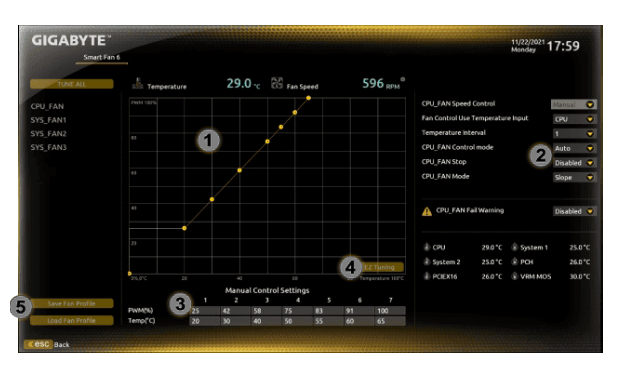
Smart Fan 6 BIOS UI
1. ファンカーブ UI の改善: 制御点を5から7に増やし、ファン速度グラフを大きくすることで、ファンカーブを正確かつ簡単に制御できます。
2. 勾配/階段デュアルグラフモード: ファンカーブは、さまざまなユーザーシナリオに合わせてスロープモードと階段モードですばやく切り替えることができます。スロープは伝統的で直感的な線形ファン速度曲線です。新しく追加された階段ノンリニアモードでは、ファンは指定された温度間隔の間で同じ速度を維持します。
3. 手動入力: 上級ユーザー向けに、より正確な制御のためにファン速度の手動入力を提供します。
4. EZ チューニング: 使用すると、温度/ファン速度で4つの EZ チューニングポイントを配置でき、Smart Fan 6 はファンカーブをすばやく生成できます。
5. ファンカーブ・プロファイル: ファンカーブプロファイルは BIOS ROM に保存できます。プロファイルは BIOS アップデート後も保持されます。
注: イメージ画像です。2. 勾配/階段デュアルグラフモード: ファンカーブは、さまざまなユーザーシナリオに合わせてスロープモードと階段モードですばやく切り替えることができます。スロープは伝統的で直感的な線形ファン速度曲線です。新しく追加された階段ノンリニアモードでは、ファンは指定された温度間隔の間で同じ速度を維持します。
3. 手動入力: 上級ユーザー向けに、より正確な制御のためにファン速度の手動入力を提供します。
4. EZ チューニング: 使用すると、温度/ファン速度で4つの EZ チューニングポイントを配置でき、Smart Fan 6 はファンカーブをすばやく生成できます。
5. ファンカーブ・プロファイル: ファンカーブプロファイルは BIOS ROM に保存できます。プロファイルは BIOS アップデート後も保持されます。
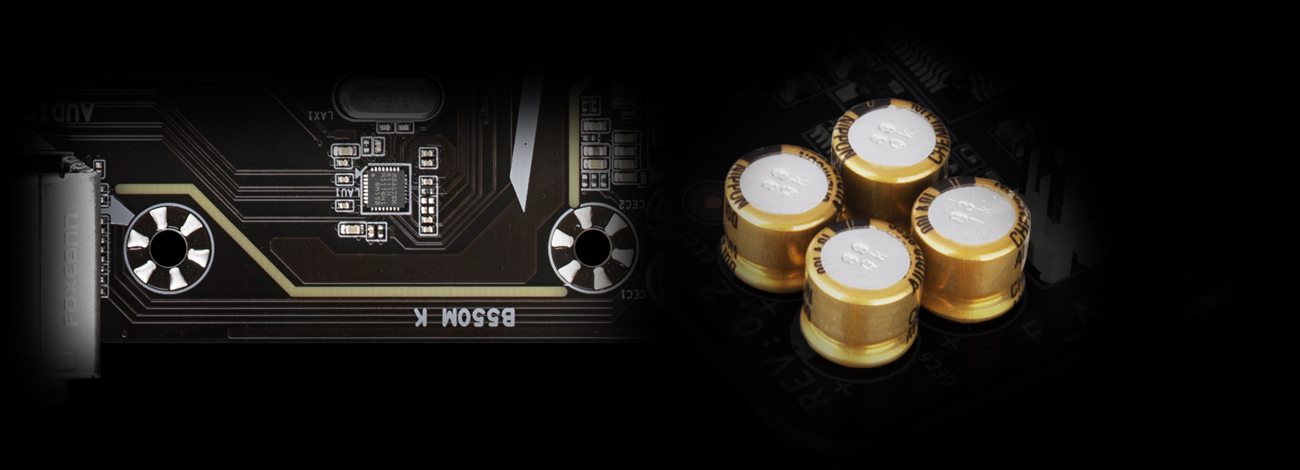
ハイエンド・オーディオ・コンデンサ
GIGABYTE マザーボードはハイエンド・オーディオ・コンデンサを使用しています。これらの高品質コンデンサは、高解像度と高忠実度のオーディオを提供し、ゲーマーに最もリアルなサウンド効果を提供するのに役立ちます。
オーディオ・ノイズガード
GIGABYTE マザーボードは、基板の敏感なアナログ・オーディオコンポーネントを基板レベルでの潜在的なノイズ汚染から本質的に分離する、オーディオ・ノイズガードを備えています。
GIGABYTE 特許取得済 Double Locking Bracket
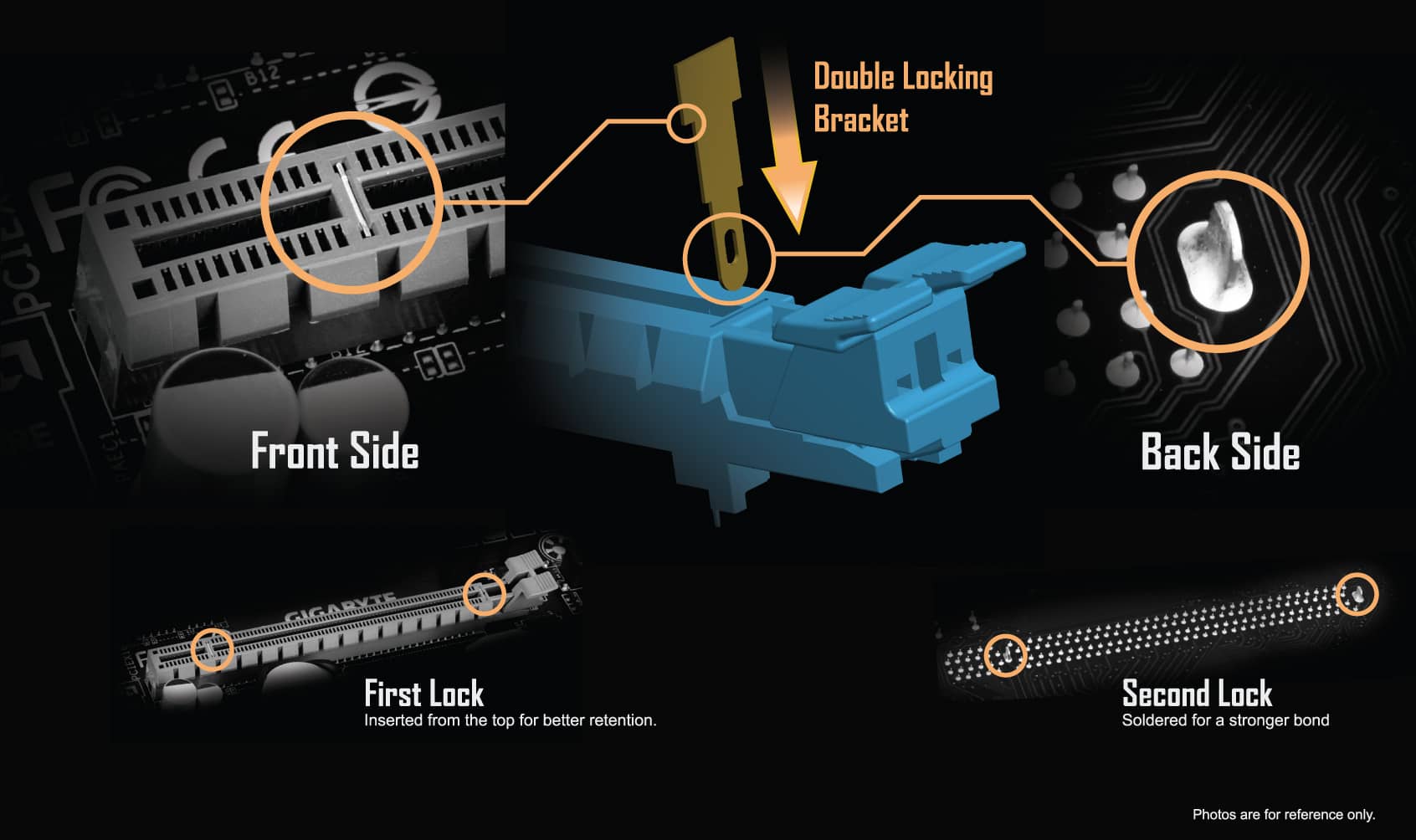
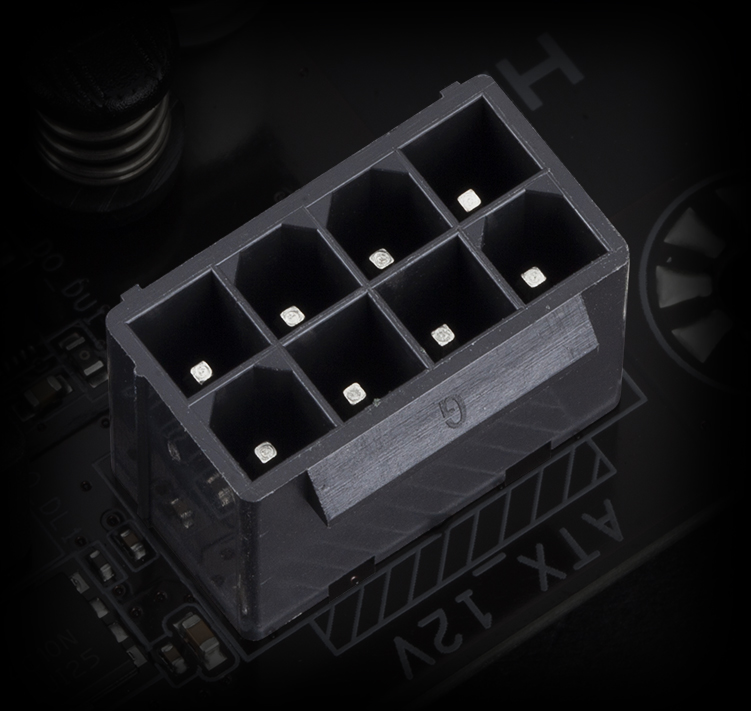
Solid Pin 電源コネクタ
本 B550 マザーボードの ATX 12V 8ピン電源コネクタは、CPU 負荷時に安定した電源を提供します。
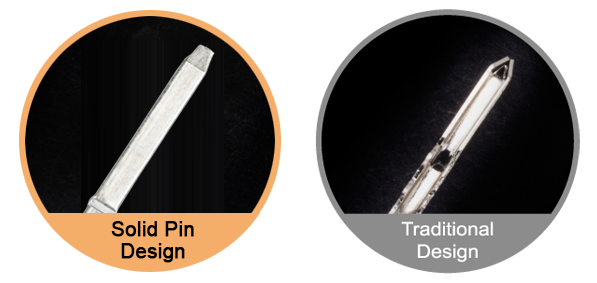
Solid Pin 電源コネクタの利点
- 接点電気抵抗の低減
- 発熱の軽減
- Ultra Durable 超耐久
START SULFURIZATION PROTECTION
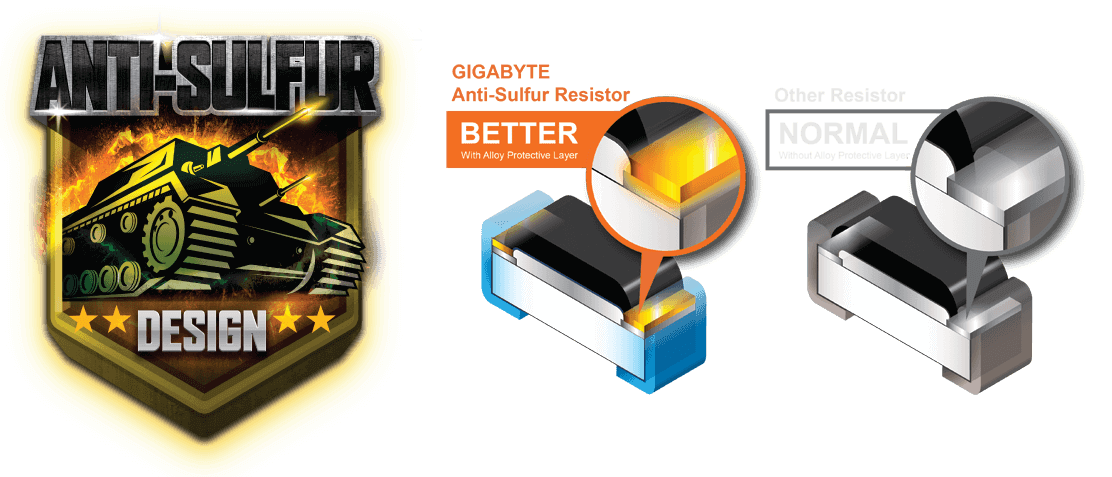
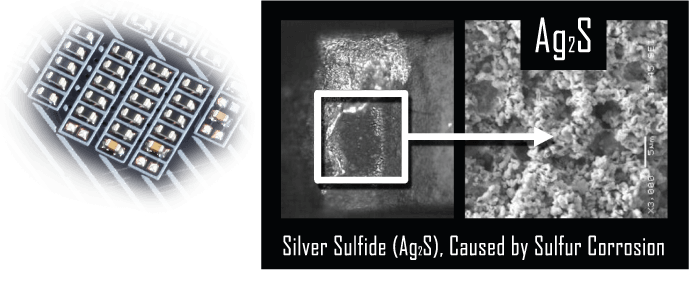
空気中の硫黄化合物は、小さなオンボード抵抗器に浸透して化学変化を起こし、これらの抵抗器を破損や短絡させる可能性があります。 これらのいずれかが発生した場合、マザーボードは機能しません。 抵抗器にアンチサルファー設計を施すことで、GIGABYTE は全く新しい意味で Ultra Durable マザーボードを提供します。
GIGABYTE BIOS & アプリケーション
BIOS
APP CENTER
EasyTune
@BIOS
System Information Viewer
最新 BIOS
BIOSは、初期設定時にユーザーにとって最適な設定を可能にするために不可欠です。GIGABYTE は、BIOS を一新し新しい GUI と使いやすい機能を備えました。
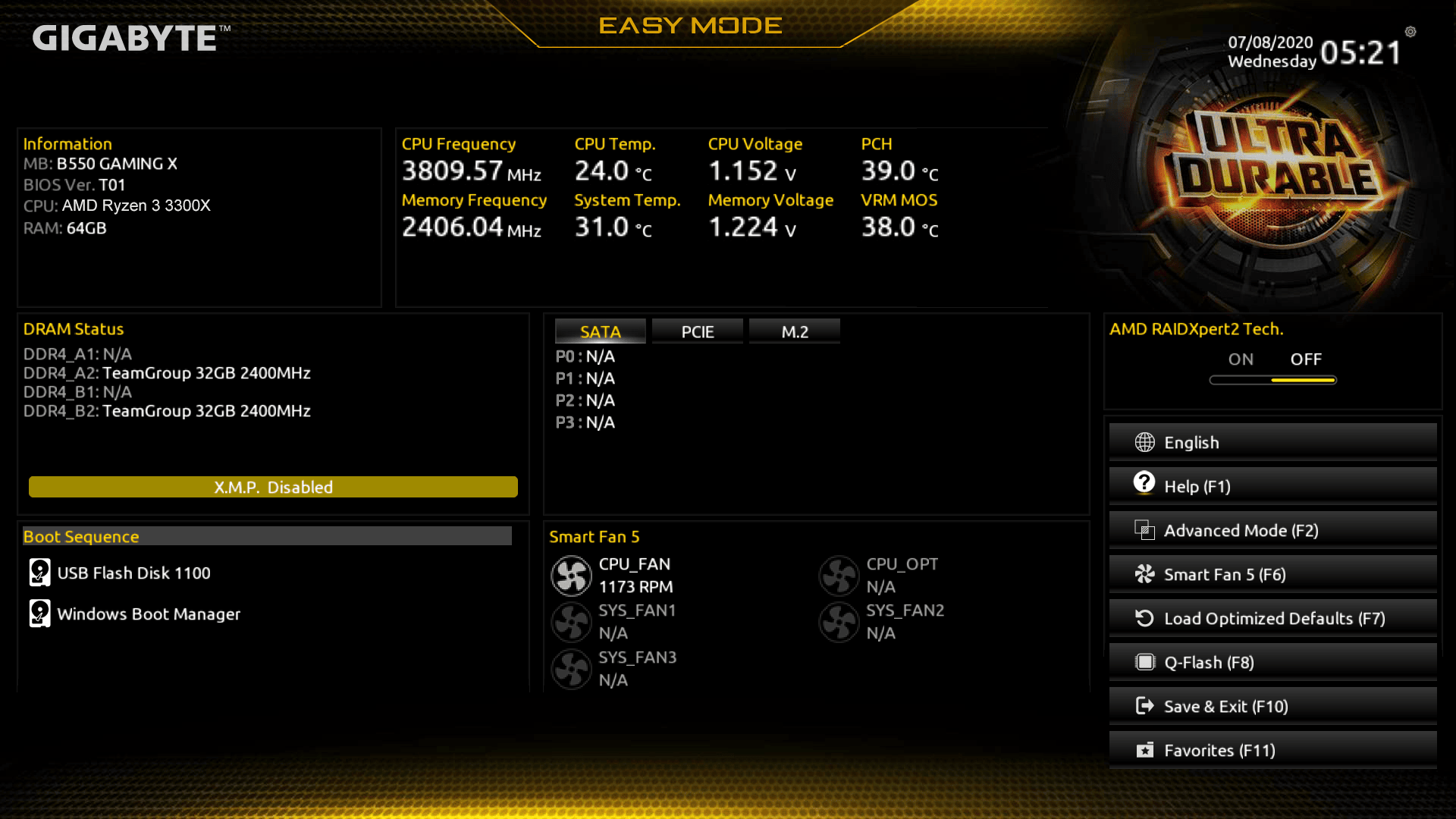
* イメージ画像です。機能を型番によって異なります。
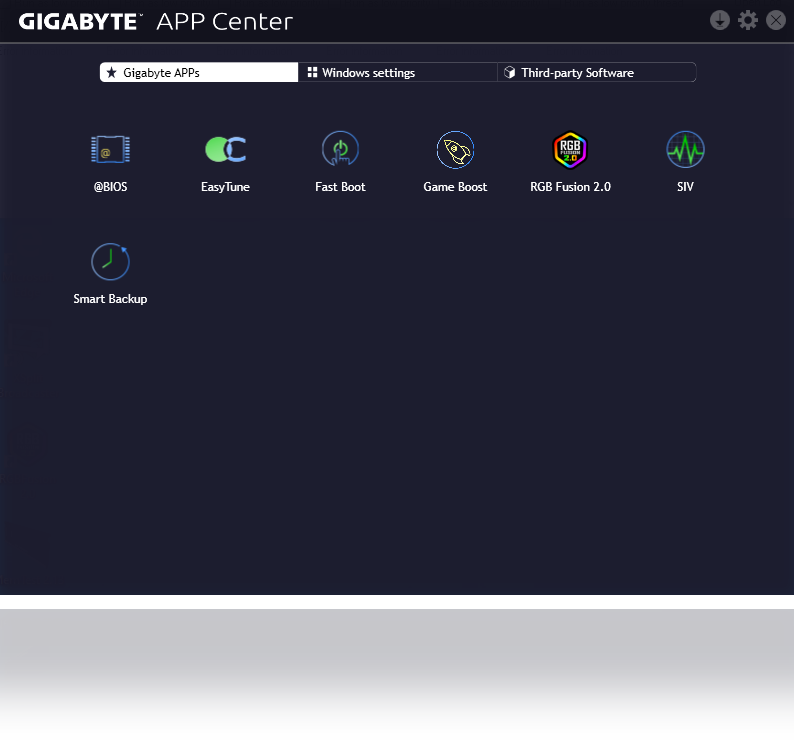
APP CENTER
GIGABYTE APP Center により、GIGABYTE マザーボードの性能を最大限引き出すために便利な数々の GIGABYTE アプリに簡単にアクセスできます。
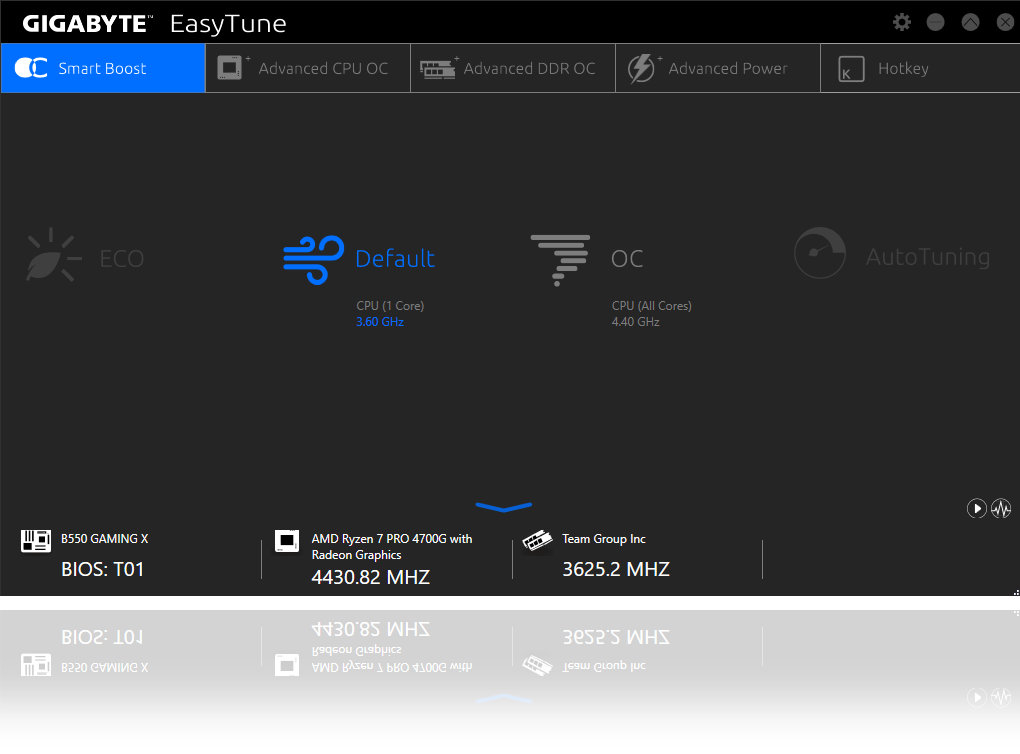
EasyTune
GIGABYTE EasyTune アプリにより、初心者でも簡単に Windows 環境から CPU 周波数や電圧などのシステム設定を調整することができます。また、Smart Quick Boost 機能により、ワンクリックで自動オーバークロックが行え、難なくパフォーマンスを向上できます。
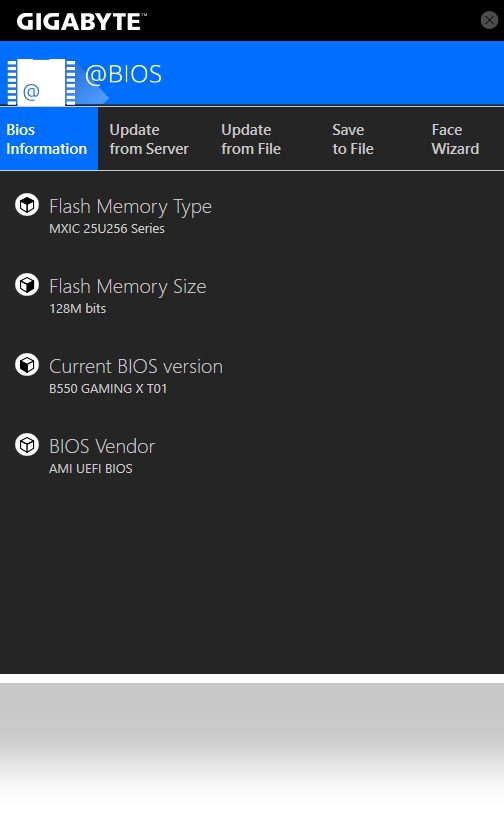
@BIOS
GIGABYTE @BIOS アプリにより、Windows 上から BIOS を更新することが可能です。
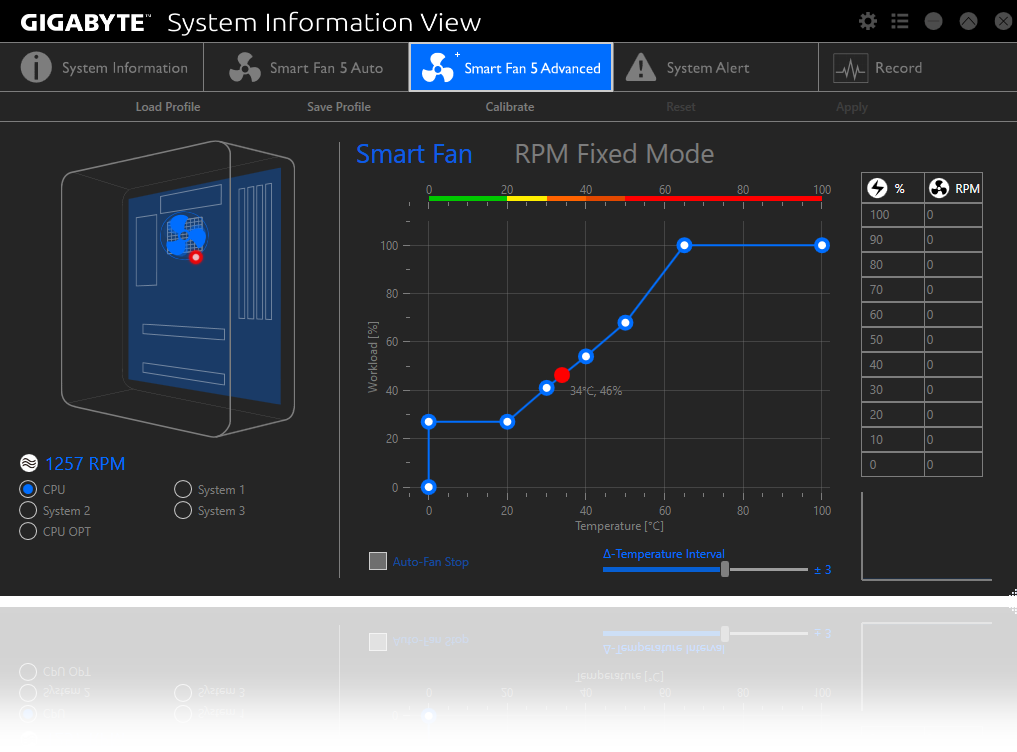
System Information Viewer
GIGABYTE System Information Viewer を利用してシステム全体の状況を把握することが可能です。CPU 周波数や温度、ファン設定などを一律管理することができます。

* HDMI、HDMI High-Definition Multimedia Interfaceという語、HDMIのトレードドレスおよびHDMIのロゴは、HDMI Licensing Administrator, Inc.の商標または登録商標です。
* 実際の製品規格及び外観デザインは、販売国・エリアにより異なります。現地代理店もしくは小売店にて最新の販売製品規格をご確認下さい。
* 製品画像カラーは、撮影上光の加減やディスプレイ設定により実際のイメージと若干異なる場合があります。予め御了承下さい。
* 当社ホームページ上にて正確な最新情報をご確認下さい。当社はホームページ上の情報の変更や改訂を予告なく実施する権利を有します。
* 製品画像カラーは、撮影上光の加減やディスプレイ設定により実際のイメージと若干異なる場合があります。予め御了承下さい。
* 当社ホームページ上にて正確な最新情報をご確認下さい。当社はホームページ上の情報の変更や改訂を予告なく実施する権利を有します。
仕様
* HDMI、HDMI High-Definition Multimedia Interfaceという語、HDMIのトレードドレスおよびHDMIのロゴは、HDMI Licensing Administrator, Inc.の商標または登録商標です。
* ここに記載されている全ての資料は参考用です。 GIGABYTEは、予告なしに変更する場合があります。
* パフォーマンスについては、インターフェイス仕様の理論上の最大値に基づいています。 実際のパフォーマンスは、システム構成によって異なる場合があります。
* 記載されている会社名、商品名、およびロゴは各社の商標または登録商標です。
* メモリー容量は、システムリソースに予約され実際の搭載メモリーより少なくなる場合があります。
* パフォーマンスについては、インターフェイス仕様の理論上の最大値に基づいています。 実際のパフォーマンスは、システム構成によって異なる場合があります。
* 記載されている会社名、商品名、およびロゴは各社の商標または登録商標です。
* メモリー容量は、システムリソースに予約され実際の搭載メモリーより少なくなる場合があります。