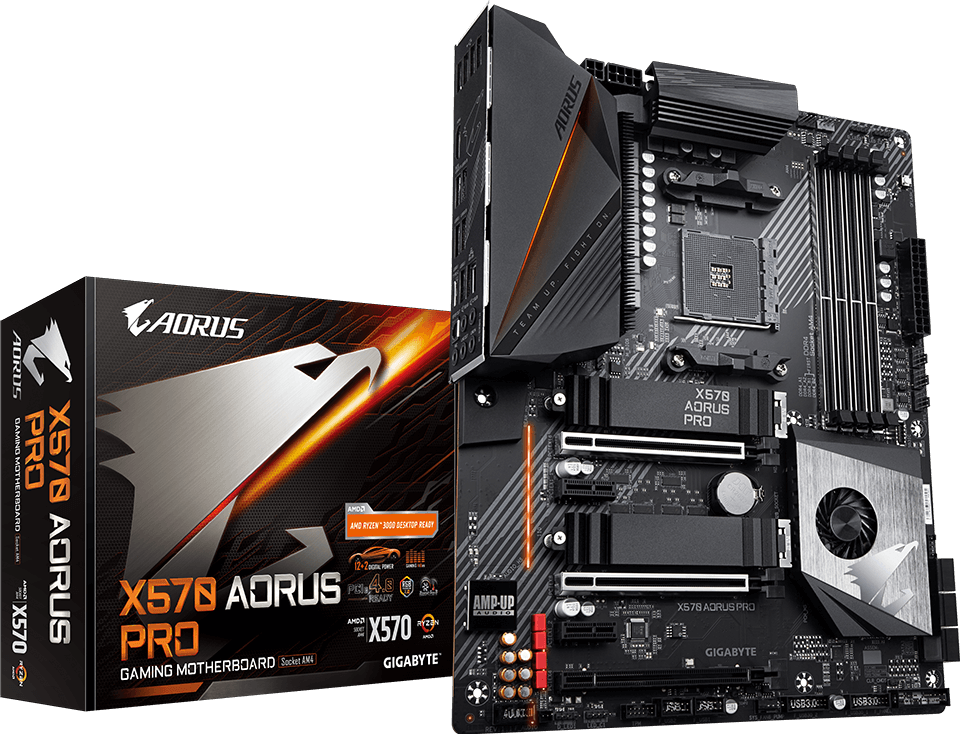
AMD X570 AORUS Motherboard with 12+2 Phases IR Digital VRM, Fins-Array Heatsink & Direct Touch Heatpipe, Dual PCIe 4.0 M.2 with Thermal Guards, Intel® GbE LAN with cFosSpeed, USB Type-C, RGB Fusion 2.0
Supports AMD Ryzen™ 5000 Series/ Ryzen™ 5000 G-Series/ Ryzen™ 4000 G-Series/ 3rd Gen Ryzen™/ 2nd Gen Ryzen™/ 2nd Gen Ryzen™ with Radeon™ Vega Graphics/ Ryzen™ with Radeon™ Vega Graphics Processors
ALC1220-VB Enhance 114dB(Rear)/ 110dB(Front) SNR in Microphone with WIMA Audio Capacitors
Intel® Gigabit LAN with cFosSpeed Internet Accelerator
RGB FUSION 2.0 with Multi-Zone Addressable LED Light Show Design, Supports Addressable LED & RGB LED Strips
Smart Fan 5 features Multiple Temperature Sensors, Hybrid Fan Headers with FAN STOP
Front & Rear USB 3.1 Gen2 Type-C™ Header & HDMI 2.0 support
Integrated I/O Shield Armor
Q-Flash Plus update BIOS Without Installing CPU, Memory and Graphics card
Specifications
* The terms HDMI, HDMI High-Definition Multimedia Interface, HDMI Trade dress and the HDMI Logos are trademarks or registered trademarks of HDMI Licensing Administrator, Inc.
* The entire materials provided herein are for reference only. GIGABYTE reserves the right to modify or revise the content at anytime without prior notice.
* Advertised performance is based on maximum theoretical interface values from respective Chipset vendors or organization who defined the interface specification. Actual performance may vary by system configuration.
* All trademarks and logos are the properties of their respective holders.
* Due to standard PC architecture, a certain amount of memory is reserved for system usage and therefore the actual memory size is less than the stated amount.
1. Due to different Linux support condition provided by chipset vendors, please download Linux driver from chipset vendors' website or 3rd party website.
2. Most hardware/software vendors may no longer offer drivers to support Win9X/ME/2000/XP SP1/SP2. If drivers are available from the vendors, we will update them on the GIGABYTE website.
Warning:
Because BIOS flashing is potentially risky, if you do not encounter problems using the current version of BIOS, it is recommended that you not flash the BIOS. To flash the BIOS, do it with caution. Inadequate BIOS flashing may result in system malfunction.
Update CPU ID/Micro codes in new BIOS means?
[1] To support new series of CPUs, or [2] To support the same CPU but with new stepping.
CPU support of motherboard is consist of BIOS and hardware design, detail CPU support information please see CPU support list.